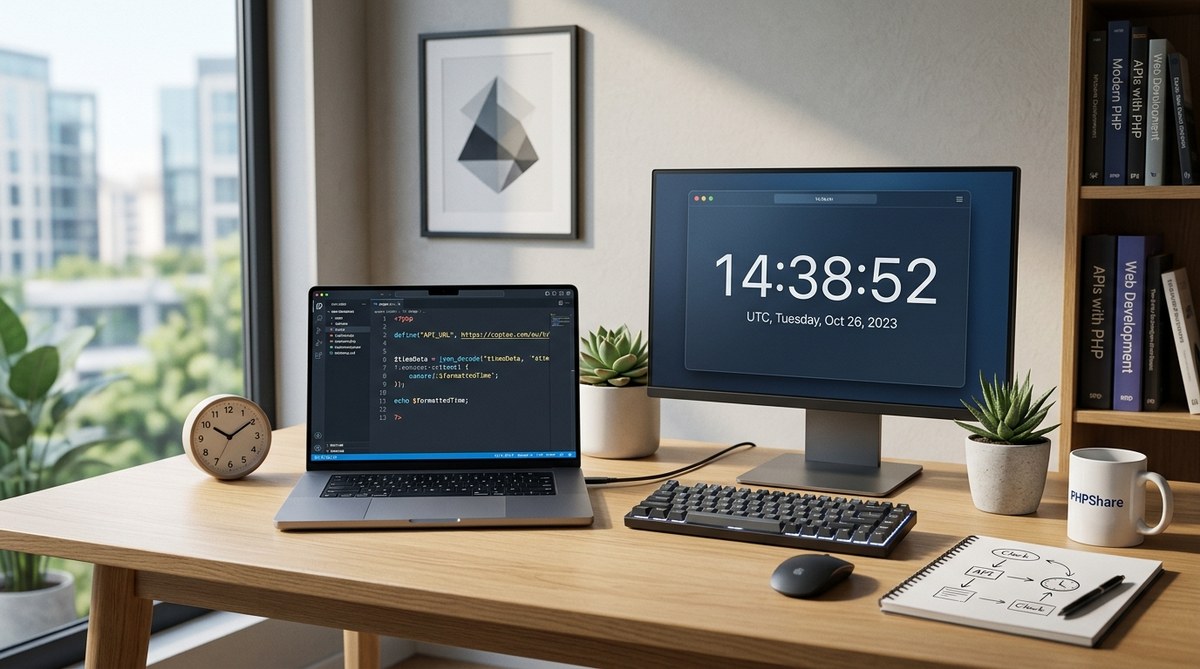
Real time clocks make websites feel alive. When your app needs to show accurate time across different regions or synchronize events, a well designed PHP clock powered by reliable time APIs can deliver precision without slowing down your site. In this guide we walk through building a real time clock with PHP and APIs, including how to convert Unix time, handle time zones, and present a live clock to users with solid performance and resilience. Whether you are adding a clock to a dashboard, building a timer for typing tests, or simply experimenting with time data, this article has you covered.
Understanding the real time clock in web apps
A real time clock is more than just printing the current time. It involves choosing a source of truth for time, handling time zones correctly, and updating the display in a way that feels instant to users. Here are the core concepts you will encounter.
The sources of time
- PHP built in time functions: The simplest option is to use PHP date and time functions to render the server time. This works for static pages or pages that refresh regularly but it is not ideal for a live ticking clock.
- External time APIs: Time APIs provide authoritative, time zone aware data. They are useful when you need consistent time across servers or you want to respect regional time rules that may change.
- Client side time: JavaScript can update the clock in the browser once the initial time value is loaded. This creates a smooth ticking clock without constant server requests.
Why use an API for time
- Time zone accuracy: APIs often reflect the latest time zone rules and daylight saving changes.
- Global consistency: If you have a distributed architecture, fetching time from a single source can reduce drift.
- Flexible time zones: APIs let you query specific time zones or regions without manual offset calculations.
When to rely on PHP alone
- You need a quick static clock on a page that does not update in real time.
- You want complete independence from external services for a basic timestamp.
- You are building offline features and want to minimize dependencies.
With these choices in mind you can design a clock that fits the needs of your PHP project on phpshare.org.
Architecture options for a real time clock
There are several practical architectures for delivering a real time clock on a web page. Each has trade offs in complexity, latency and reliability.
Option A: Server time with client side ticking
- The server renders the initial time using PHP.
- The browser uses JavaScript to increment the clock every second.
- This approach minimizes server requests while delivering a live feel.
Pros:
– Fast on first paint
– Minimal server load
Cons:
– The displayed time may drift slightly from real world time if the user switches time zones or if there is client clock skew.
How to implement:
– In PHP, generate the initial timestamp in UTC or the user’s time zone.
– Output the timestamp to the page as a data attribute or a small inline script.
– In JavaScript, read the timestamp and use setInterval to update the display every second.
Inline example ideas:
– PHP snippet: $start = new DateTime('now', new DateTimeZone('UTC')); echo $start->format('Y-m-d H:i:s');
– JS idea: use setInterval to increment a JavaScript Date object and update the DOM.
Option B: Server refreshed time via API
- PHP requests a time API to get the current time when the page is loaded or on a scheduled cadence.
- The clock is then updated on the client using JavaScript.
Pros:
– Time zone correctness from a single authoritative source
– Easy to implement with a small API call
Cons:
– Adds network latency
– Requires careful error handling and caching to avoid slowdowns
Implementation notes:
– Use a lightweight, fast API such as WorldTimeAPI or Time API.
– Cache responses on the server to reduce API calls.
– Provide a fallback to PHP built in time if the API is unavailable.
Option C: Full API driven, server to client updates
- A dedicated PHP endpoint returns the current time in JSON.
- The front end polls this endpoint or uses WebSockets for real time updates.
Pros:
– Precise time updates across all users
– Great for synchronized events
Cons:
– More infrastructure needed
– Higher complexity and potential scalability concerns
This option is ideal for apps that require precise coordination, such as live events dashboards or multi user timing features.
Choosing an API for time
API selection should balance reliability, performance and cost. Here are common choices and what to look for.
Popular options
- WorldTimeAPI: Simple and free for basic usage. Returns time zone data and a datetime stamp.
- Time API: Provides time zones and timestamps with a straightforward response format.
- Time zone databases with API keys: Some services require an API key for higher rate limits or additional features.
Factors to consider
- Latency: How quickly does the API respond from your region?
- Time zone coverage: Does the API support the zones you need?
- Rate limits: What is the free tier and how does it scale?
- Reliability: Is the service backed by a reputable provider?
- Security: Does the API use HTTPS and return clean data?
Practical tip
If your project runs on a single server with minimal load, you can start with WorldTimeAPI for testing. As you scale or require stricter guarantees, consider a service with a robust SLA and a friendly API plan.
Building a clock in PHP
This section walks through a practical build. You will see how to fetch time from an API, how to convert Unix time, and how to cache results for better performance.
Step 1: Create a small time service class
Define a simple interface for time operations to make your code easy to test and extend. For example, you could declare a ClockInterface with a method to get the current DateTime.
- Example concept:
- ClockInterface:
public function now(): DateTime; - ApiClock: fetches time from an API and returns a DateTime object
- PhpClock: uses PHP DateTime to return server time
Step 2: Fetch time from an API with graceful fallback
Code ideas you can adapt:
- Basic API call with PHP (using file_get_contents for simplicity):
$response = file_get_contents('https://worldtimeapi.org/api/timezone/Europe/London');$data = json_decode($response, true);-
$datetime = $data['datetime']; -
Robust approach using cURL:
curl_init, set options for timeout, return transfer, and SSL verification.- Decode JSON and verify the presence of a timestamp.
-
Convert the timestamp to a DateTime object in your preferred time zone.
-
Fallback logic:
- If the API call fails or returns unexpected data, fall back to PHP’s own time:
$now = new DateTime('now', new DateTimeZone('UTC'));
Step 3: Implement caching
Caching reduces latency and API usage. A simple file based cache can work well for small to medium projects.
- Example cache plan:
- Cache file:
cache/time.json - If the file exists and is fresh (for example within 60 seconds), read from cache.
- Otherwise fetch new data from the API and write to cache.
Pseudo steps:
– If (cache exists and current time minus cache modification time < 60 seconds) then
– Read and parse cached data
– Else
– Fetch from API
– Validate data
– Write to cache
– Use fetched time in your application
Step 4: Expose an endpoint for time
A minimal REST like endpoint can return the current time in JSON. For example:
- GET /api/time
- Response example: { “datetime”: “2026-05-06T14:22:10+01:00”, “timezone”: “Europe/Berlin” }
How to implement:
– Create a PHP script that uses your Clock implementation.
– Return a proper Content-Type header: application/json.
– Include error handling so the endpoint returns stable responses even if the API is down.
Step 5: Front end integration
To display a real time clock on a page you can combine server time with client side updates.
- HTML snippet:
-
<span id="clock" data-ts="<?php echo $start->format('U'); ?>"></span> -
JavaScript approach:
- Read the server timestamp from the data attribute.
- Convert to a JavaScript Date object and update the text every second.
- Optionally handle timezone formatting with toLocaleString, or apply a user selected time zone.
Simple JavaScript idea:
– Set an interval that increments the timestamp by 1000 ms every second.
– Use new Date(ts * 1000) to render the readable time.
– Update the DOM with a friendly format like toLocaleString().
Step 6: A minimal PHP clock example (conceptual)
Here is how a focused minimal clock flow could look in PHP:
- Fetch time from an API or from PHP if API is unavailable.
- Convert to a DateTime object in the desired time zone.
- Pass the timestamp to the front end for JavaScript to tick.
Inline demonstration ideas:
– PHP: $start = new DateTime('now', new DateTimeZone('UTC')); echo $start->format('Y-m-d H:i:s');
– API fetch: $response = curl_exec($ch); $data = json_decode($response, true); $datetime = $data['datetime'];
– Time zone conversion: $tz = new DateTimeZone('Europe/Paris'); $dt = new DateTime($datetime, new DateTimeZone('UTC')); $dt->setTimezone($tz); echo $dt->format('Y-m-d H:i:s');
Real time clock on a web page
Bringing the clock to the user interface requires a small amount of front end work in addition to your PHP logic.
Approach overview
- Server side renders an initial timestamp
- Client side uses JavaScript to tick the clock
- Optional: the browser can periodically re-sync with the API to avoid drift
Step by step client side plan
- On page load, output the server time into a data attribute on the clock element.
- Initialize a JavaScript timer that updates the display every second.
- Optionally implement a pull in of the latest time from the API every N minutes to correct drift.
- Offer a user friendly format, such as a 24 hour clock or a locale aware format.
Accessibility and usability tips
- Use aria labels on the clock for screen readers.
- Ensure high contrast for readability.
- Provide a pause control for users who prefer not to have live updates.
A practical front end snippet (concept)
- HTML:
<span id="clock" data-ts="<?php echo $start->format('U'); ?>"></span> - JavaScript idea:
- Read
data-ts, convert to a timestamp, and update every second - Display using
toLocaleTimeString()for a familiar format - Optional: include a button to switch between 12 hour and 24 hour formats
This approach gives you a fast initial render with a smooth live update experience without overburdening your server.
Handling time zones with APIs
Time zones are at the heart of real time clocks. A robust clock must respect the user’s locale or a chosen zone.
How to choose a zone
- Let users pick a time zone from a dropdown; store the selection in the session or user profile.
- Default to the user’s browser time zone if you can detect it reliably on the client side.
- If you rely on an API, pass the zone as part of the request, for example a request to an endpoint like /api/time?zone=Europe/Paris.
Time zone data and daylight saving
Time zones can change with daylight saving rules. A PHP DateTime object handles this when you specify a zone:
- Create a DateTime with a specific zone:
$dt = new DateTime('now', new DateTimeZone('America/New_York')); - Convert to another zone:
$dt->setTimeZone(new DateTimeZone('UTC'));
APIs that provide timezone data help ensure your clock remains accurate even when regional rules shift.
Practical zone handling checklist
- Validate user input for time zone names to avoid injection risks.
- Normalize time zone data within a central Clock service.
- Cache API responses that return zone data if your implementation depends on API data beyond the time stamp.
Converting Unix time
Unix time is a simple integer representing seconds since 1970-01-01 UTC. It is a common backbone for time calculations in PHP.
Converting Unix time to human readable date
- PHP approach:
date('Y-m-d H:i:s', $unix)or using DateTime - PHP example:
$dt = (new DateTime('@' . $unix))->setTimezone(new DateTimeZone('UTC')); echo $dt->format('Y-m-d H:i:s');
Converting a human date to Unix time
- PHP approach:
strtotime('2026-05-06 14:30:00')or using DateTime - DateTime approach:
$dt = new DateTime('2026-05-06 14:30:00', new DateTimeZone('UTC')); $unix = $dt->getTimestamp();
Practical use cases
- Scheduling: compute future timestamps for events
- Logging: store times in Unix time for easy comparisons
- Display: present human readable times to users in their zone
Performance and security considerations
A high quality clock should be fast, reliable and secure.
Performance tips
- Use caching for API results when possible to minimize latency.
- Serve the initial clock quickly with PHP, and rely on client side updates for the ticking effect.
- If you poll an API, throttle requests and implement exponential backoff on failures.
- Prefer JSON over XML for API responses to reduce payload.
Security tips
- Always use HTTPS for API calls.
- Validate and sanitize all API responses before using them in your application.
- Do not embed API keys in client side code. Keep keys on the server.
- Use timeouts on HTTP requests to avoid blocking page loads.
Deployment considerations
- Separate clock logic into a small library or service to improve maintainability.
- Add unit tests for the clock logic to ensure consistent behavior across time zone changes.
- Monitor API usage and error rates to detect outages or throttling.
Testing and debugging tips
- Test with different time zones to ensure correct display.
- Simulate API failures and verify the fallback path is used.
- Check the clock at edge cases like DST transitions.
- Use synthetic data to verify that the UI updates correctly in the presence of latency.
A practical implementation plan
If you are ready to build a real time clock for phpshare.org, here is a compact checklist you can follow.
- Decide on the clock source
- Prefer an API for time zone accuracy or use server time for simple pages.
- Create a small PHP clock class
- Implement a now() method that returns a DateTime object in UTC by default.
- Add a light weight API endpoint
- Create /api/time that returns the current time in JSON
- Build a minimal front end
- Render the initial time on the page and use JavaScript to tick every second
- Implement caching
- Cache API responses for time zones and the current time for a short window
- Plan fallbacks
- If the API is unavailable switch to server time and display a warning if needed
- Add tests
- Time zone tests, DST tests and API failure scenarios
- Document for users
- Create a small guide on how to embed the clock in other pages
Real world patterns and design ideas
- Pattern A: Clock library with interchangeable sources
- The library can switch between API time, server time, or a cached source
- You can configure fallbacks and retry strategies
- Pattern B: Client side clock with server validation
- The server provides a trusted time baseline and the client keeps the clock in sync
- You can detect if the client clock drifts beyond a threshold and re-sync
- Pattern C: Time zone aware UI component
- A re useable component that accepts a zone and returns a properly formatted time string
- Great for dashboards with multi region users
Related topics you might explore on phpshare.org
- Converting Unix time and working with DateTime and DateTimeZone in PHP
- Handling time zones effectively with PHP and APIs
- Building typing tests and time based features that rely on precise timing
- Implementing search functions that consider time constraints and delays
- Resizing images for clock display assets and thumbnails
- Sharding databases and creating calculators that rely on timestamps
- Creating small utilities to format dates and times for dashboards
Final notes
A well designed real time clock adds polish to your PHP projects and makes your applications feel responsive and professional. By combining a reliable time source with thoughtful front end updates you can deliver a clock that is accurate, fast and easy to maintain. Start with a simple server side time and a light front end, then experiment with API driven time and more advanced features like per user time zones and synchronized events. As you grow your PHP toolkit on phpshare.org, you can reuse the same clock patterns in multiple projects and keep your time handling consistent across your codebase.
If you enjoyed this guide and want more PHP tutorials, consider exploring other articles in the PHP Tutorials category on phpshare.org. We regularly publish practical how to articles that help developers with real world tasks, from real time clocks to image resizing, search implementations and even database sharding strategies. Happy coding and may your clocks stay precise.
No Responses